





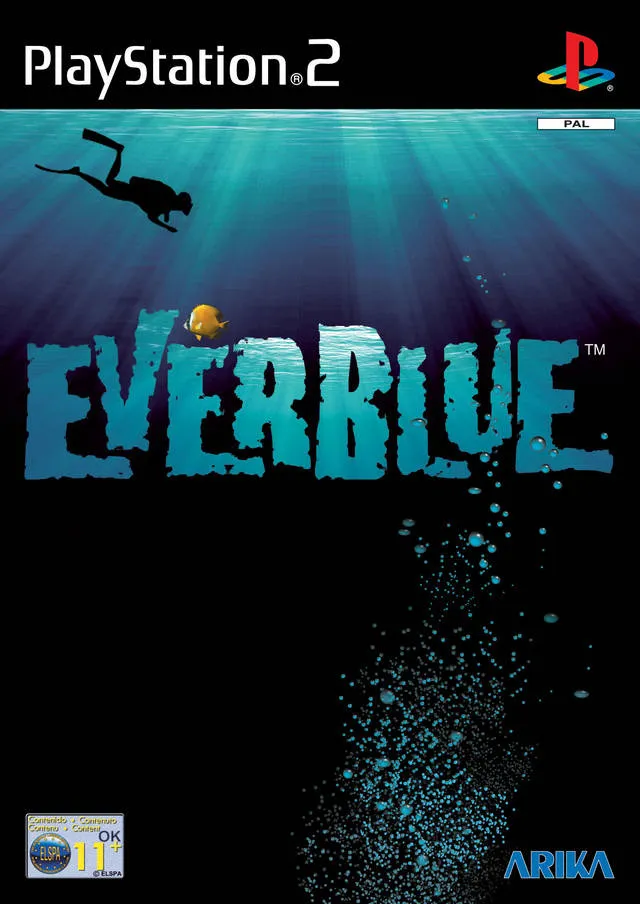
Here’s a general, spoiler-free Everblue guide. It’s a very casual-friendly game you can mostly take your time with. Still, there’s little documentation on this game, and some players may want clarification on certain things. Leave a comment if you’d like me to help with anything not mentioned here.
PCSX2 settings
I struggled getting Everblue to display properly on the PCSX2 emulator, and there isn’t much information online. Hopefully, this helps someone.
My recommendation:
- Turn all settings to their defaults.
- Go to “game properties,” and go to the “graphics” submenu. Set internal resolution to whatever is closest to your display. I don’t recommend going above what’s necessary for your display, because it requires more resources. If you have larger than a 4K display, you may still want to consider not going above 6x native resolution. If you have problems after doing so, lower your internal resolution setting.
- Under “game properties,” go to the “game patches” submenu.
- Enable progressive interlacing (“no-interlacing”).
- Restart the emulator and game.
This should allow you to play Everblue upscaled without screen-shaking.
Leftover Issues
There are two minor visual bugs to be aware of:
- The “docks” section of the town has the middle of the screen bob up and down. It’s only visible here, and I assume this was supposed to be some sort of ocean wave swashing effect.
- While diving, red lines can be seen moving across the bottom and right screen borders. I think this has something to do with the outlines around underwater doors rendering over foreground graphics. It’s caused by the no-interlacing patch, so you have to choose between this bug or not being able to upscale. Your call.
I tried asking the PCSX2 discord for support, but it looks like this conflict will be unresolved, for now. You can partially get around it by using the emulator’s screen crop feature, which will zoom the picture in so that the borders are cut off. At the cost of some minor visual information, you can play as if the distracting red lines aren’t there.
How to:
- Under “game properties,” go to the “graphics tab.”
- Find the “crop” text entry fields. In my experience, setting “bottom” to 6px and “right” to 9px entirely obscures the red lines.
Your display will be different from mine, so change the crop values as you see fit. I think this solution is preferable to playing Everblue without any upscaling, in terms of compromised visual quality.
Missables & One-of-a-Kind Items
There is, as far as I’ve noticed, no missable content. It’s possible to sell one-of-a-kind items, but only those with no other required functions. Notable examples are your default equipment and some replacements obtained shortly after starting the game; these aren’t sold in shops. Just take particular care not to sell items highlighted in blue. These are irreplaceable items, usually given to someone as part of a quest. If you want a perfect file, you should give these items to the person who wants them, since it does alter their dialogue.
There’s not really a reason to downgrade to base equipment, though some people suggest it can improve your movement speed, which could assist you in races. I’m skeptical of this claim, but maybe keep those items, just in case. Their sell value is pitiful, anyway.
Cao’s Races
By several orders of magnitude, Cao’s races are by far the most difficult tasks in all of Everblue. Fortunately, they’re entirely optional. When these races are introduced, Cao will withhold the location of the Juno until you beat his race time, but you don’t actually need to be told where the Juno is to find and explore it. I’ve seen people claim Cao’s initial race isn’t beatable when you first unlock it, but I’ve done it, so that’s not true. Granted, it took me probably about an hour of attempts.
Throughout the game, after certain story progress benchmarks, Cao will present new challenges and lower times for the player to beat. If you progress too far, it’s possible to miss one of Cao’s challenges, and the reward along with it. I missed a few, myself, not knowing this. I believe he only rewards you with items you can get elsewhere, but you do need to beat his record at some point to get his Coin. I’d recommend not putting that off too long, because his challenges will only get harder.
Cao’s Final Race
Cao’s final race requires you to beat his time of 33 seconds. I’ll be upfront: as of writing, I couldn’t beat this one. It’s really goddamn hard.
Recommended equipment:
Feet: Wild Thangs
Body: Dolphin Skin
Back: Re-breather Deluxe
Sack: Matter Compressor
Misc: Accelerator
Far as I can tell, the only thing that actually matters here is your feet equipment and accessory. The Accelerator is mandatory, and I think the Wild Thangs is the fastest of all feet options available to you. They don’t turn as well as some others, but you need as much speed as you can get. I’ve heard some people claim that the default Wetsuit makes you faster, but I don’t believe it does. Also, make sure your Sack is completely empty of things like healing items, just so you’re not slowed down.
My record is around 40 seconds, and I can believe that beating Cao’s time is possible if I took every corner perfectly, never grazed the side of any objects, and continually mashed L2 for the Accelerator. I didn’t have the patience to get good enough.
I looked around for a bit and couldn’t find a single person claiming to have beaten this final race. If you examine Cao’s equipment, he has a unique pair of feet called the Torpedoes. My assumption is these are your reward for beating him, as that would make thematic sense, and otherwise, feet would be the only equipment to not have an “ultimate,” unique variant.
Godspeed—you’ll need it.
Miscellaneous Tips
- If you open up your map while diving, you can press X (default) while hovering your cursor over the desired area to have your character automatically face that direction. This is useful for many things, including reaching locations in uncharted waters, as you’d otherwise have to keep referring back to your map.
- While diving, remaining still causes your Stamina to slowly recover—and I mean slowly. It’s such an insanely long wait that I think you’re almost always better off surfacing before coming back. Still, if this prevents a game over or allows you to pick up an object you want, it’s worth considering.
Leave a Reply