




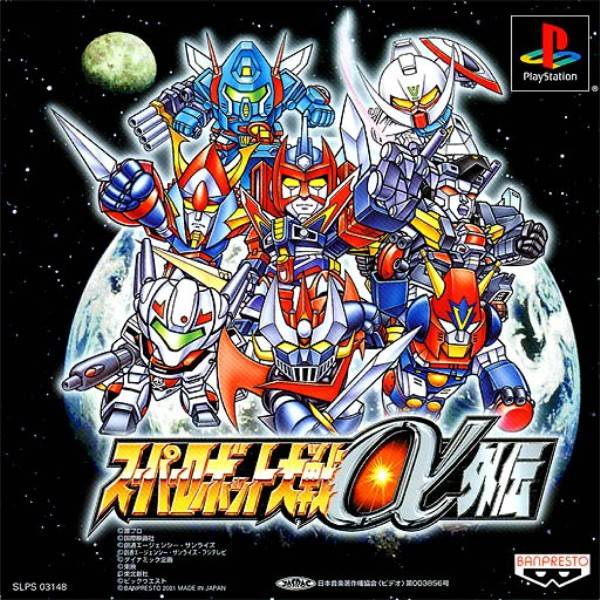
Save Editor: Not Functional?
For posterity, here’s a link to a save file editor tool for Super Robot Wars: Alpha Gaiden, uploaded by GameFAQs user MoRmEnGiL. It was developed by Fiigu, who also made tools for the numbered Alpha games. The .exe was created in Microsoft Visual Basic 2005 Express Edition. This is a perfectly legal tool to use, as it’s essentially just a graphical user interface for single-player video game cheat codes.
After a friend and I messed around with it for a while, we could not get it to work on a modern computer. My main reason for making this page is to draw attention to that in hopes that someone may be able to come up with a solution.
Specifically, it appears that any modern PC attempting to use the .exe will be able to run it, but will not get a response from clicking the “Open” button, which would normally prompt the user to select their save file. Naturally, not being able to do this makes the editor essentially nonfunctional.
On my end, I tried running the .exe in every compatibility mode Windows offered me, but I received no better results. I even attempted to open the save file via Windows Explorer, manually selecting the save editor as the program to open it. No dice!
From my research, which was further substantiated by my friend, the issue seems to be that the program doesn’t work on 64-bit architecture. My friend attempted opening it in a virtual machine and still had no luck.
I thought I would try and track down Fiigu and see if they had a solution, but it seems any trace of them has vanished from the internet. Their personal website is a now-dead Geocities link, and the save editor’s readme.txt lists a Japanese Yahoo email that I have even less faith in. I’m sure they’re out there somewhere, likely under a different handle, but I haven’t located them.
So, there you have it. Whether anyone can find out a way to run this, modify the program, or whatever else, please let me know so that the SRW community can once again access this very handy tool.
It would be great to use route-exclusive secrets, if nothing else!
UPDATE: Fixed!?
A while after posting this article, I was looking around 4chan’s /m (mecha) board for a patch that would fix Super Robot Wars J‘s Shield Defense bug, because I knew their Super Robot Wars General thread had a Pastebin for SRW game mods.
I did find the Shield Bug patch, but I noticed something else while reading the link descriptions. When I was originally trying to find the @G save editor, I did look at this very Pastebin. However, at the time, I didn’t know that the editors’ developer signature was “Playtown Queen.” So when I read “Playtown Queen save editors” back then, I thought it might be for some specific game or fan mod. Knowing what it meant now, I had to download those editors and see if there was a functional version of the Alpha Gaiden save editor.
Their upload appeared to be the same version I had, but the pack also contained its own readme .txt file. This provided a possible solution for making these save editors functional on modern hardware.
The Fix
The readme’s steps:
Step 1: Install .NET Framework 3.5
Step 2: Download the “mscomctl.ocx” file and put it in the “C:\Windows\SysWoW64” folder.
Step 3: Open a command line with admin rights.
Step 4: Enter “regsvr32 C:\Windows\SysWoW64\mscomctl.ocx” in the command line.
Step 5: Enter “C:\Windows\Microsoft.NET\Framework64\v2.0.50727\Ldr64.exe SetWoW” in the command line.
Step 6: ????
Step 7: Profit!
Revert
C:\WINDOWS\Microsoft.NET\Framework64\v2.0.50727\Ldr64.exe Set64
If everything is ???? then install japanese language into your PC
Now, to cover my ass, I am not responsible for anything that happens as a result of you attempting to follow these directions. As far as I can tell, nothing bad happened to my PC, but you’re taking a risk by following anyone’s advice online.
Save Editor Tips & Issues
All testing has been done on the Premium Edition (SLPS-03577) unless noted otherwise.
Manual Part Generation
After entering quantities for Parts in my inventory, I attempted to equip them to my units only to discover that the game considered them already equipped to an invisible GP-03. Attempting to equip them regardless, which should normally simply unequip the unit with the Part, results in a crash. No solution as of yet.


Leave a Reply